Every ZATCA-compliant e-invoice is an XML document built on the UBL 2.1 standard. Understanding this format is essential for developers building ZATCA integrations, IT teams evaluating invoicing solutions, and business owners who want to understand what their systems are generating behind the scenes.
This guide breaks down the ZATCA XML structure section by section, covering mandatory fields, namespaces, Saudi-specific extensions, and the most common validation errors.
What Is UBL 2.1?
Universal Business Language (UBL) is an open standard maintained by OASIS (Organization for the Advancement of Structured Information Standards). Version 2.1 is the specific version ZATCA adopted for Saudi Arabia's e-invoicing mandate. UBL defines a library of XML document types for business transactions including invoices, credit notes, and debit notes.
ZATCA selected UBL 2.1 because it is widely used internationally, well-documented, and flexible enough to accommodate Saudi-specific requirements through extensions. Every invoice your system generates must conform to the UBL 2.1 schema with ZATCA's additional rules applied.
ZATCA XML Namespaces
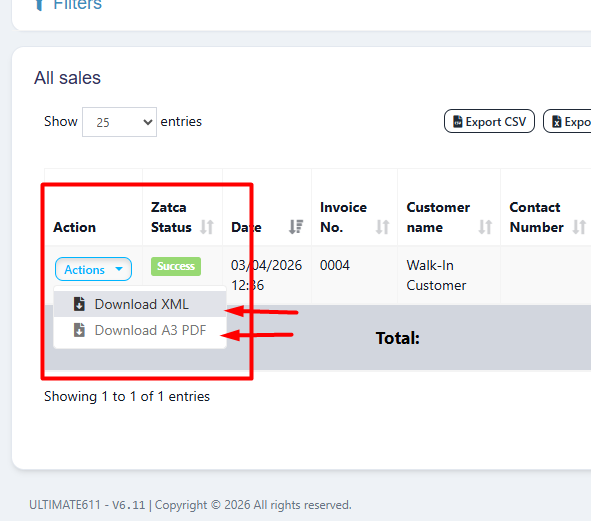
ZATCA invoice layout and XML download options
The XML document starts with namespace declarations that tell parsers which schemas to validate against. ZATCA invoices use these primary namespaces:
- Default namespace: The UBL Invoice-2 schema for the root Invoice element
- cac: Common Aggregate Components — complex data structures like addresses, parties, tax totals
- cbc: Common Basic Components — simple data fields like amounts, dates, names
- ext: Extensions — used for ZATCA-specific fields like digital signatures
Invoice Header Structure
The invoice header contains identification and classification data:
Key Header Fields
| Field | Description | Example |
|---|---|---|
| ProfileID | "reporting:1.0" for B2C, "clearance:1.0" for B2B | reporting:1.0 |
| ID | Your internal invoice number | INV-2026-0001 |
| UUID | Universally unique identifier (v4) | 6f4d20e0-6bfe-... |
| IssueDate | Invoice date in YYYY-MM-DD format | 2026-03-25 |
| IssueTime | Invoice time in HH:MM:SS format | 14:30:00 |
| InvoiceTypeCode | 388 = Invoice, 381 = Credit Note, 383 = Debit Note | 388 |
| InvoiceTypeCode @name | 7-digit binary code encoding invoice subtypes | 0100000 |
| DocumentCurrencyCode | ISO 4217 currency code | SAR |
The InvoiceTypeCode Name Attribute
The 7-digit binary name attribute encodes invoice characteristics. Position 1: third-party invoice. Position 2: nominal supply. Position 3: exports. Position 4: summary invoice. Position 5: self-billed. Position 6–7: reserved. For a standard tax invoice, the value is "0100000".
Seller and Buyer Information
Both parties are represented using the AccountingSupplierParty and AccountingCustomerParty elements:
Arabic Registration Name
The RegistrationName for the seller MUST be in Arabic. Using the English company name here is one of the most common XML validation errors. Ensure your system stores and uses the Arabic business name for the supplier party element.
Invoice Line Items
Each product or service on the invoice is represented as an InvoiceLine element. Every line must have a sequential numeric ID starting from 1:
VAT Category Codes
| Code | Description | VAT Rate |
|---|---|---|
| S | Standard rate | 15% |
| Z | Zero-rated | 0% |
| E | Exempt from VAT | 0% |
| O | Out of scope (not subject to VAT) | 0% |
Tax Total and Legal Monetary Total
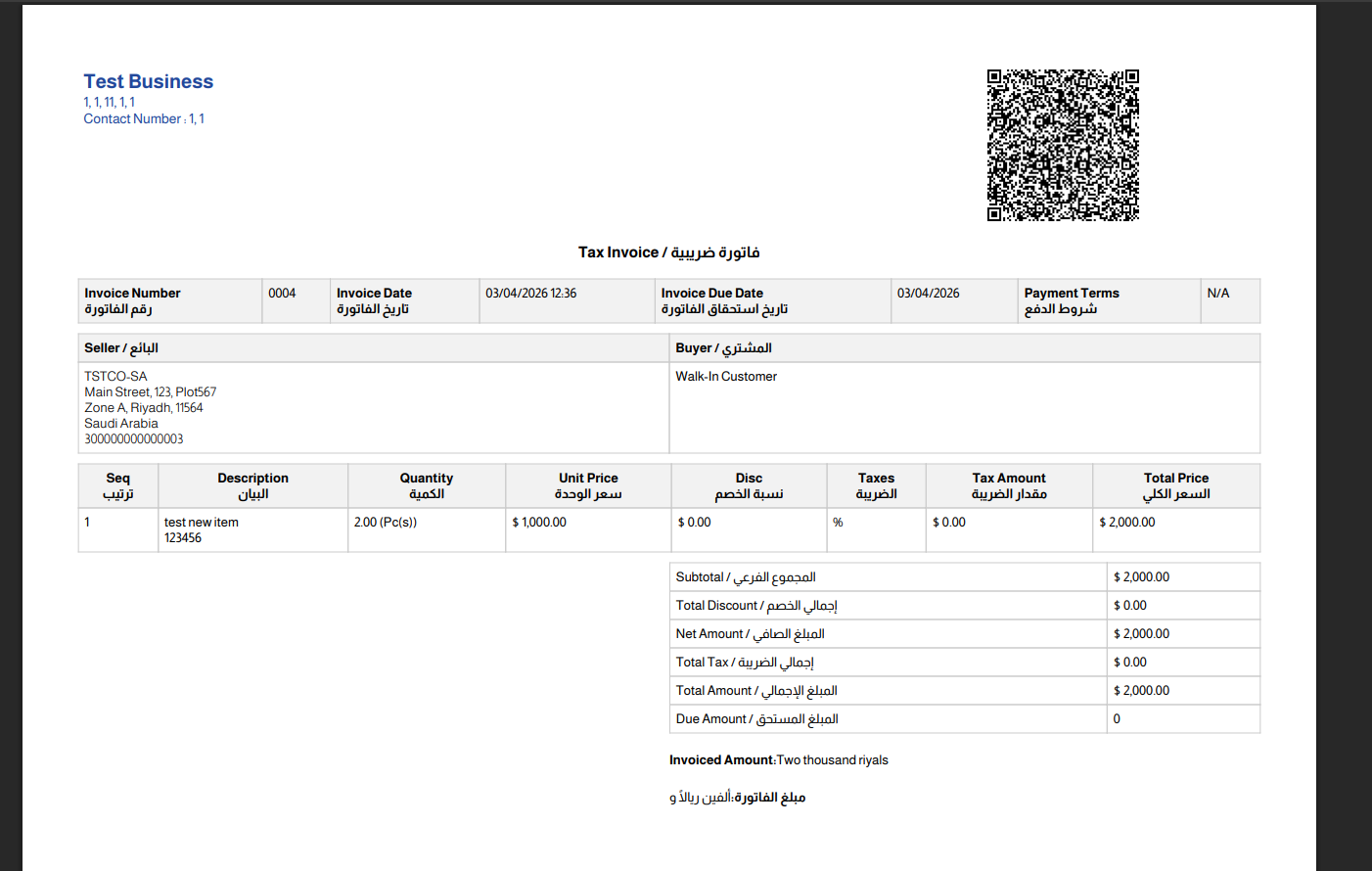
ZATCA-compliant invoice showing tax breakdown
The invoice must contain a tax total section that breaks down VAT by category, and a legal monetary total summarizing all amounts:
Digital Signature Block
Phase 2 invoices must contain a digital signature embedded in the UBLExtensions section. The signature uses XMLDsig (XML Digital Signature) standard and includes:
- SignedInfo: The canonicalization method and reference to the signed content
- SignatureValue: The actual ECDSA signature bytes
- KeyInfo: The X.509 certificate used for signing
The digital signature proves the invoice was created by the certificate holder and has not been modified since signing. This is crucial for maintaining the integrity chain that ZATCA validates. A ZATCA-compliant POS system handles this signing process automatically for every transaction.
Previous Invoice Hash
ZATCA requires a hash chain linking each invoice to its predecessor. The AdditionalDocumentReference section includes a SHA-256 hash of the previous invoice's XML:
For the very first invoice in the chain, use a Base64-encoded SHA-256 hash of "0" as the previous invoice hash. Every subsequent invoice hashes the previous invoice's XML to create an unbreakable chain.
Common XML Validation Errors
Based on real-world implementations, these are the most frequent errors developers encounter:
- Missing or incorrect namespace declarations — ensure all four namespaces are present on the root element
- InvoiceLine ID not starting from 1 — ZATCA requires sequential line IDs beginning at 1, not 0
- Missing currencyID attribute — every monetary amount element must include currencyID="SAR"
- English-only RegistrationName — seller name must be in Arabic
- Invalid UUID format — must be a valid UUID v4 string
- Mismatched totals — line extension amounts must sum to the tax-exclusive total, and VAT calculations must be mathematically correct
- Missing Previous Invoice Hash — the PIH reference is mandatory even on the first invoice
- Wrong ProfileID — using "clearance:1.0" when reporting or vice versa
For a complete guide to error codes and their solutions, see our ZATCA error codes guide.
Let Your POS Handle the XML Complexity
LookPOS generates fully compliant UBL 2.1 XML for every transaction — invoices, credit notes, debit notes. Digital signatures, hash chains, and QR codes are all automated.
Start Free Trial Ask a DeveloperFrequently Asked Questions
ZATCA uses Universal Business Language (UBL) version 2.1 XML format. This is an international OASIS standard for electronic business documents, with Saudi-specific extensions and mandatory fields defined by ZATCA's e-invoicing regulations.
Mandatory fields include UUID, invoice number (ID), issue date and time, invoice type code with subtype name, document currency, seller information (name in Arabic, VAT number, address), buyer information (for B2B), line items with tax categories, tax totals, legal monetary totals, previous invoice hash, and the digital signature block.
While technically possible for a single invoice, it is completely impractical for production. The XML includes complex namespaces, digital signatures with X.509 certificates, SHA-256 hash chains, and TLV QR code data that require automated software. Use a compliant e-invoicing solution instead.