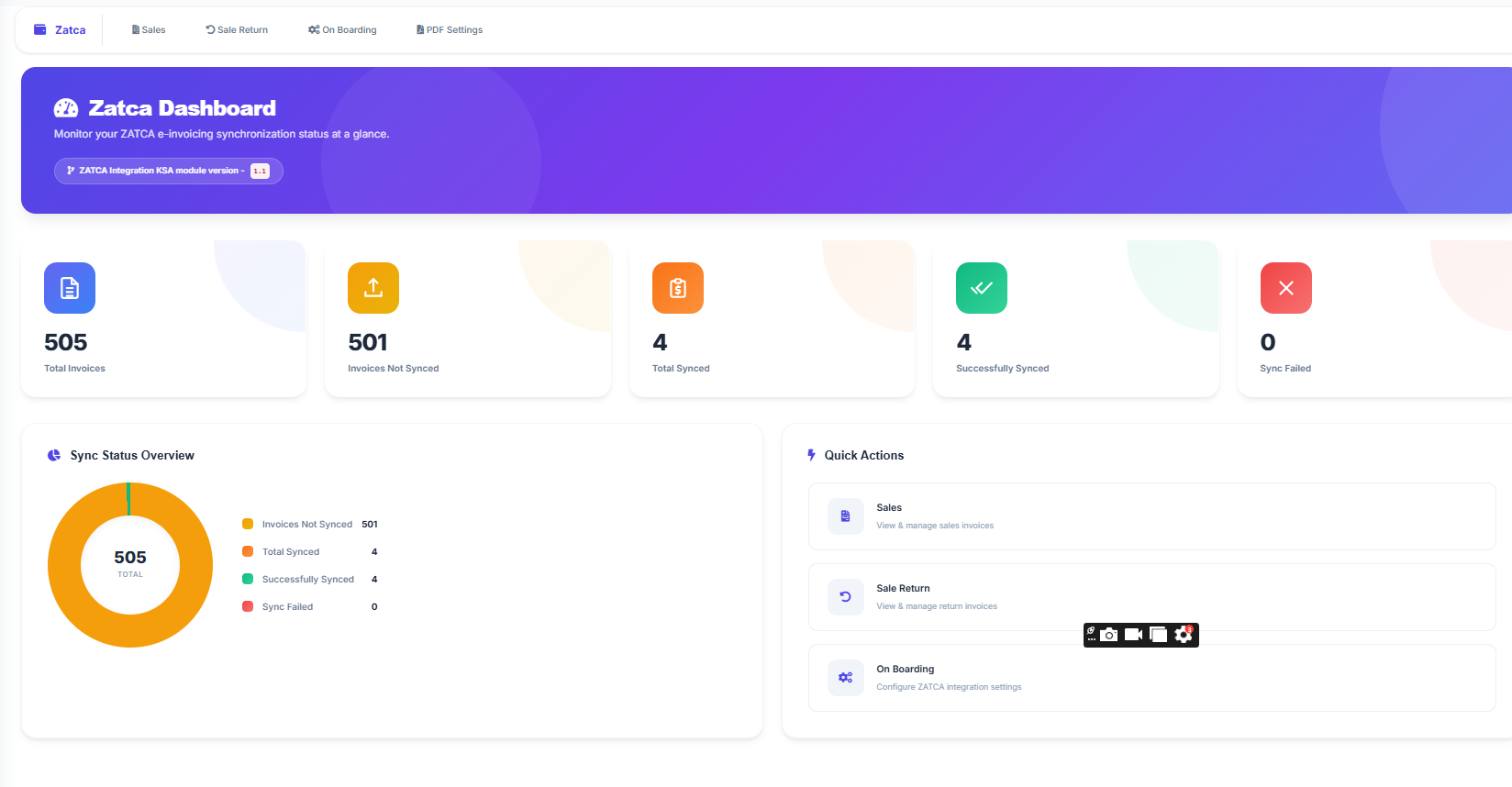
الفاتورة الإلكترونية زاتكا | نظام الفوترة الإلكترونية في السعودية
Automate your entire e-invoicing workflow with LookPOS. Generate ZATCA-compliant electronic invoices, submit them to the Fatoora system in real time, and stay fully compliant with Saudi Arabia's tax regulations. No technical knowledge required.
E-invoicing in Saudi Arabia has moved from optional to mandatory. The Zakat, Tax and Customs Authority has set clear rules: every VAT-registered business must generate, transmit, and validate invoices electronically through the Fatoora system. Paper invoices and manually typed bills no longer have a place in the Saudi commercial landscape.
For thousands of retailers, restaurant owners, pharmacists, and wholesalers across the Kingdom, this regulation raises a pressing question: how do you actually implement e-invoicing without disrupting your daily operations? The answer lies in using a POS system that handles the entire e-invoicing process automatically. This is exactly what LookPOS was built to do.
This page explains how e-invoicing works in Saudi Arabia, what the law demands from your business, and how LookPOS delivers a complete, ready-to-use e-invoicing solution that meets every ZATCA requirement without adding complexity to your workflow.
E-invoicing, or electronic invoicing, refers to the process of creating, sending, and storing invoices in a standardized digital format. In Saudi Arabia, this process is governed by ZATCA under a national programme known as Fatoora. Unlike a simple PDF or a scan of a paper invoice, a proper electronic invoice must be generated by a certified system in a specific technical format that the government can read, validate, and store.
ZATCA introduced e-invoicing to achieve several goals as part of Saudi Vision 2030:
The Fatoora programme was launched in two stages, each building on the previous one:
Phase 1 — Generation (December 4, 2021): All VAT-registered businesses were required to stop using handwritten or unstructured invoices. Instead, they had to generate invoices through a compliant electronic system. The invoices needed unique identifiers, QR codes for simplified invoices, and a structured format. However, businesses did not need to transmit these invoices to ZATCA.
Phase 2 — Integration (Rolling out since January 2023): This phase requires businesses to connect their invoicing systems directly to the ZATCA Fatoora platform through an API. Every invoice must be transmitted electronically: B2B standard invoices for clearance before delivery to the buyer, and B2C simplified invoices for reporting within 24 hours. The technical requirements are significantly higher, including UBL 2.1 XML format, cryptographic digital signatures, hash chains, and TLV-encoded QR codes.
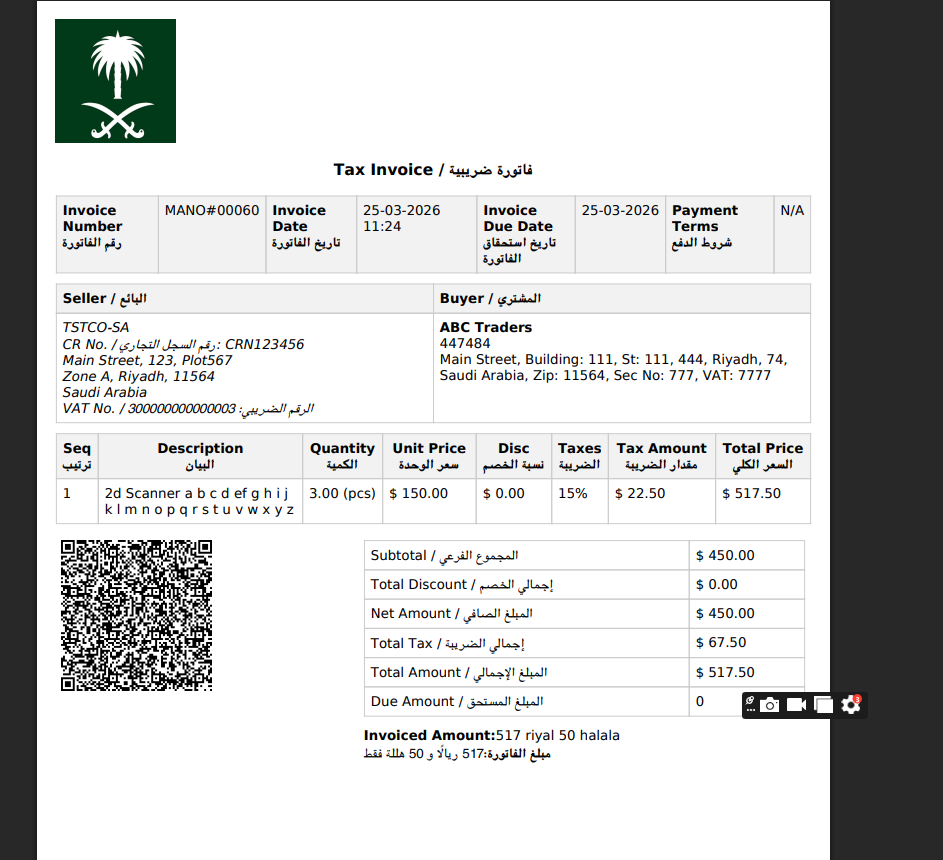
A PDF invoice emailed to a client is not e-invoicing under ZATCA rules. Saudi e-invoice compliance requires a structured XML document submitted to the government platform through a certified system. Only software with native Fatoora integration qualifies.
If you are a VAT-registered business in Saudi Arabia, complying with the e-invoicing regulation is not optional. ZATCA has been notifying businesses in waves, and every wave brings more companies under the Phase 2 mandate. Even if you have not received your notification yet, preparing now is far better than scrambling at the last moment.
Businesses that fail to comply with ZATCA e-invoicing regulations face tangible consequences:
While compliance is the immediate driver, implementing proper e-invoicing delivers genuine business benefits that extend beyond simply following the law:
Some businesses try to comply by purchasing a standalone e-invoicing tool separate from their POS system. This creates double data entry, synchronization issues, and a fragmented workflow. The most effective approach is a POS system with built-in ZATCA e-invoicing where compliance is part of every transaction automatically.
Every ZATCA requirement handled automatically within your point of sale
Invoices automatically formatted in the Universal Business Language 2.1 XML schema mandated by ZATCA with all required elements and namespaces
Every invoice is signed using X.509 cryptographic certificates obtained from ZATCA, ensuring document integrity and non-repudiation
ZATCA-compliant QR codes with Tag-Length-Value encoding containing seller data, VAT number, totals, tax amounts, and timestamps
B2B invoices submitted for clearance, B2C invoices submitted for reporting. Invoice type detected automatically from customer profile
Each invoice cryptographically references the previous invoice hash, maintaining an unbreakable sequential chain as required by ZATCA
Automated CSR generation, compliance certificate issuance, production certificate acquisition, and renewal handling through the Fatoora portal
Automatic VAT at 0%, 5%, or 15% per product. Inclusive and exclusive pricing. Detailed tax breakdown per line item on every invoice
Issue ZATCA-compliant credit notes for returns and debit notes for corrections, properly linked to original invoice references
Full Arabic language support on all invoices and the user interface. Proper RTL layout for Arabic text on both screen and print
Print compliant invoices on 58mm thermal, 80mm thermal, A4, or A3 paper. All formats include every required ZATCA field and QR code
Invoices are validated against ZATCA business rules before transmission. Errors are caught and displayed before they reach the platform
Monitor submission status, view clearance results, identify rejected invoices, and track your complete e-invoicing history from one screen
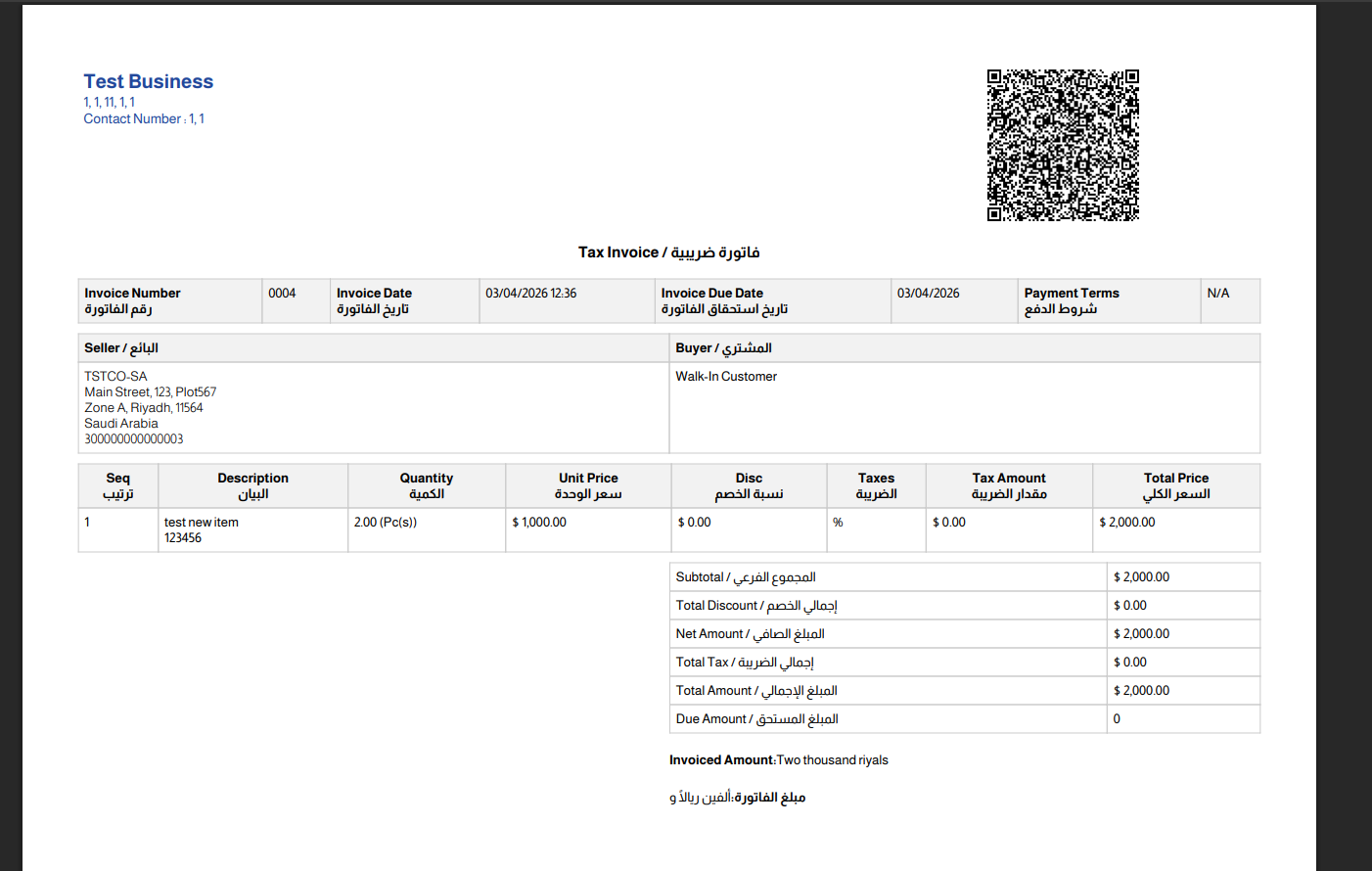
Multiple invoice output formats for different business needs
The technical demands of ZATCA Phase 2 are substantial. Your e-invoicing system must generate structured XML, manage cryptographic certificates, communicate with government servers, process responses, and maintain an unbroken chain of signed documents. For most business owners, these are concepts you should never need to think about. With LookPOS, you do not. The system handles every technical step while you focus on running your business.
From the moment your cashier completes a transaction, LookPOS executes the following sequence automatically:
This entire process completes in seconds. Your staff does not see, interact with, or wait for any of it. They simply process the sale as normal, and compliance happens in the background.
Before your system can transmit invoices to ZATCA, it must go through an onboarding process that establishes your identity and obtains the required certificates. LookPOS fully automates this:
No developer involvement. No server configuration. No command-line tools. The entire process is handled through a simple web interface.
LookPOS supports both the ZATCA sandbox (developer) environment for testing and the production environment for live operations. You can verify your integration is working correctly before processing real transactions.
Industry-specific advantages of ZATCA e-invoicing with LookPOS
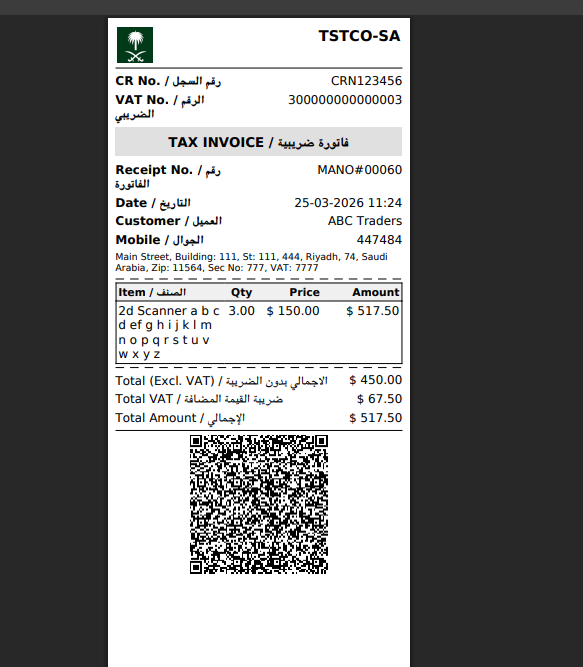
Sample thermal receipt with ZATCA QR code
Six steps from sign-up to your first ZATCA-compliant electronic invoice
Create a LookPOS account at lookpos.com. Enter your company name in Arabic and English, your address with the four-digit building number, your VAT registration number, and your Commercial Registration number. Registration is free and takes under five minutes.
Upload your product catalogue from an Excel or CSV file. Assign VAT rates to each item or category. Set up pricing, barcodes, and product images. Organize products into categories for quick access on the POS screen.
Visit the ZATCA Fatoora portal and generate a One-Time Password. Enter it in your LookPOS dashboard. The system will automatically generate your CSR, obtain certificates, pass compliance tests, and activate your production connection to the Fatoora platform.
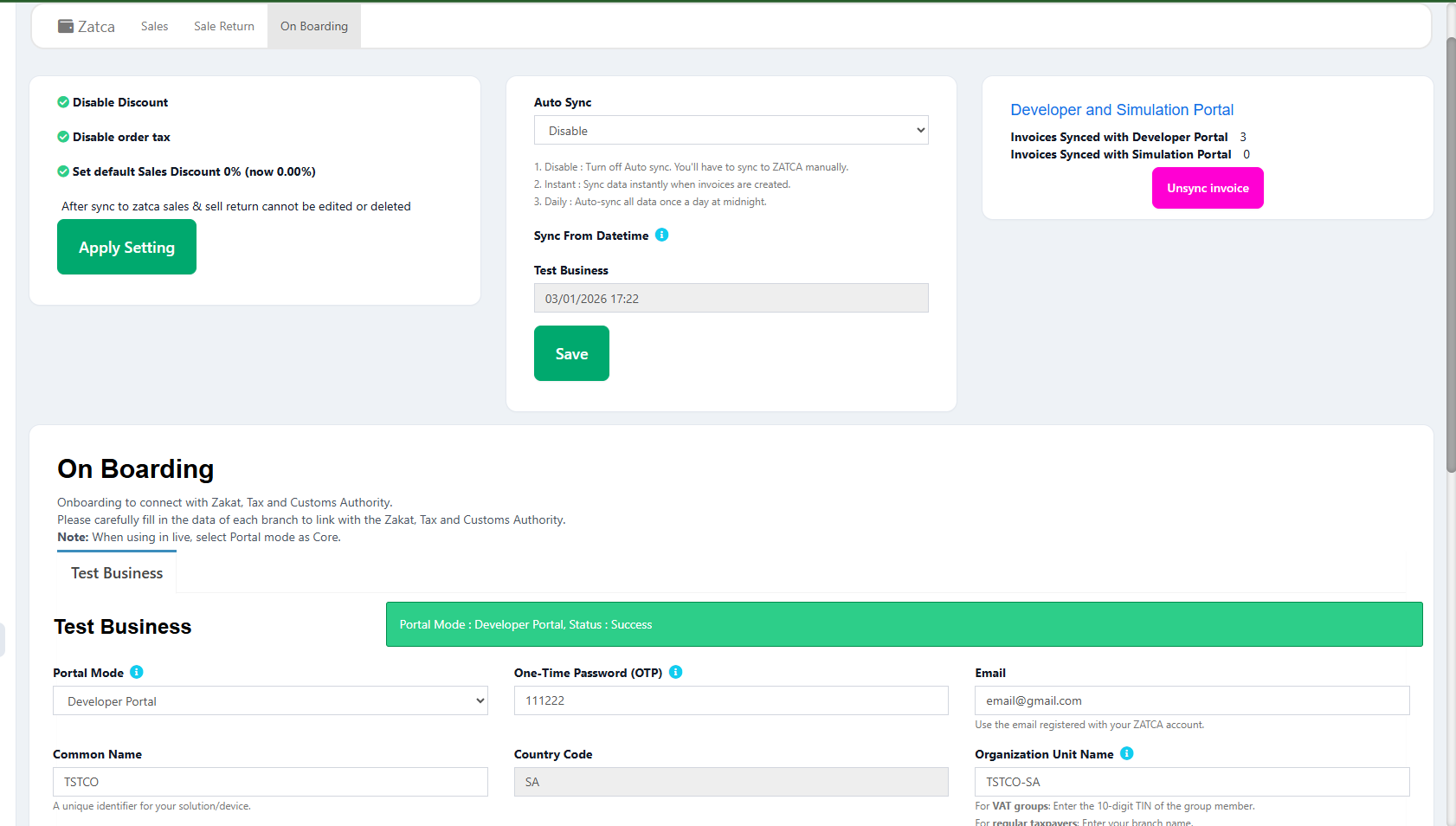
Simple onboarding process — enter your OTP and LookPOS handles the rest
Complete ZATCA onboarding and compliance testing walkthrough
Set your preferred invoice format (thermal or A4), payment methods, employee roles and permissions, receipt design, and business logo. Configure customer profiles for your regular B2B clients with their VAT numbers.
Make a sale through the POS. Select products, apply any discounts, choose the payment method, and complete the transaction. LookPOS will generate the e-invoice, sign it, create the QR code, and submit it to ZATCA within seconds.
Use the ZATCA dashboard to track every submission. See which invoices were cleared or reported, review any that were flagged, generate VAT summaries, and maintain a complete digital archive of your e-invoicing history.
Designed specifically for Saudi Arabian compliance and business operations
E-invoicing is built into the core system. Not a plugin, not an add-on, not a third-party service. Every invoice is ZATCA-ready from the moment it is created.
From account creation to your first ZATCA-submitted invoice in under half an hour. No developer, no IT department, no weeks of configuration.
Flat monthly pricing with no per-invoice charges. Submit thousands of e-invoices to ZATCA every month without additional costs.
Access from any device, any browser, any location. No local server needed. All data encrypted and backed up automatically.
When ZATCA updates regulations, APIs, or validation rules, your system is updated automatically. Compliance is always current.
E-invoicing combined with inventory control, customer management, reporting, barcode scanning, and multi-branch support. One system for everything.
Continue selling during internet outages. Transactions queue locally and sync with ZATCA automatically when connectivity returns.
Dedicated team that understands ZATCA regulations inside and out. Get help with onboarding, troubleshooting, and any compliance questions.
Confirm your system meets every requirement. LookPOS covers all of these automatically.
Common questions about e-invoicing in Saudi Arabia
E-invoicing in Saudi Arabia is the mandatory electronic invoicing system introduced by ZATCA under the Fatoora programme. It requires all VAT-registered businesses to generate, process, and submit invoices electronically in a structured digital format. Under Phase 2, invoices must be transmitted to the ZATCA platform via API in UBL 2.1 XML format with cryptographic digital signatures, hash chains, and TLV-encoded QR codes. It replaces all paper-based and manually created invoicing processes.
Every business registered for VAT in Saudi Arabia must comply with ZATCA e-invoicing regulations. This includes all business types: retail, restaurants, supermarkets, pharmacies, wholesalers, service providers, and any entity that issues tax invoices. ZATCA is rolling out Phase 2 in waves based on annual revenue thresholds, starting with the largest companies and progressively including smaller businesses. Regardless of when your wave comes, all VAT-registered entities will eventually be required to integrate.
Phase 1 required businesses to generate electronic invoices using a compliant system instead of handwritten or manually typed invoices. The invoices needed unique identifiers and QR codes but did not need to be submitted to ZATCA. Phase 2 is significantly more demanding: invoices must be transmitted to ZATCA in real time via API, formatted in UBL 2.1 XML, digitally signed with X.509 certificates, linked via hash chains, and processed through clearance (B2B) or reporting (B2C) workflows. Phase 2 represents a direct, live connection between your business and the government platform.
ZATCA can impose penalties ranging from 5,000 SAR to 50,000 SAR per violation. Specific violations include: failing to issue electronic invoices, issuing invoices without mandatory fields, missing QR codes, not submitting invoices to ZATCA, tampering with stored invoice data, and using non-compliant invoicing software. Each invoice that violates the rules counts as a separate violation. For a business processing hundreds of transactions daily, the cumulative penalties can be severe. Repeated non-compliance may also trigger additional enforcement actions.
Yes. LookPOS automatically detects the invoice type based on the customer profile. When a customer has a registered VAT number in the system, LookPOS generates a standard tax invoice (B2B) and submits it to ZATCA through the clearance endpoint. For walk-in customers or those without a VAT number, a simplified tax invoice (B2C) is generated and submitted through the reporting endpoint. You never need to manually select the invoice type or worry about routing. The system handles it seamlessly for every transaction.
Most businesses complete the entire setup and issue their first ZATCA-compliant e-invoice within 30 minutes. The process involves creating an account, entering your business information, generating an OTP from the ZATCA Fatoora portal, and entering it into LookPOS. The system automatically handles all technical steps: certificate generation, compliance testing, and production onboarding. Product import via Excel takes a few additional minutes. No developer, no IT specialist, and no command-line tools are needed.
Yes. ZATCA mandates that Arabic text must appear on all electronic invoices issued in Saudi Arabia. This includes the seller name, buyer name, item descriptions, and other mandatory fields. LookPOS supports full bilingual invoicing in Arabic and English. The interface, invoice templates, and printed output all support Arabic with proper right-to-left layout. Whether you print on 58mm thermal paper, 80mm thermal, A4, or A3, Arabic content is formatted correctly and legibly.
Thousands of Saudi businesses trust LookPOS for ZATCA-compliant e-invoicing. Set up your account, connect to Fatoora, and issue your first electronic invoice in under 30 minutes.
Free trial • No credit card • Full ZATCA compliance • Cancel anytime
يوفر LookPOS حلاً متكاملاً لـالفاتورة الإلكترونية زاتكا يشمل جميع متطلبات الفاتورة الإلكترونية زاتكا. يتعامل نظام الفوترة الإلكترونية في السعودية مع إصدار الفواتير بصيغة XML، التوقيع الرقمي، رمز QR، وإرسالها لمنصة فاتورة تلقائياً.
يدعم النظام المرحلة الثانية من الفاتورة الإلكترونية بالكامل بما في ذلك المقاصة لفواتير B2B والإبلاغ لفواتير B2C. التسجيل في الفاتورة الإلكترونية زاتكا يتم في أقل من 30 دقيقة. تجنب غرامات عدم الالتزام بزاتكا التي تصل إلى 50,000 ريال سعودي.
Explore more LookPOS solutions