Managing an online Shopify store alongside a physical retail shop can be a logistical nightmare without the right tools. Disconnected systems lead to inventory discrepancies, overselling, and hours of manual data entry. In this guide, we dive deep into the technical features of the LookPOS Shopify Integration and how to set it up for success.
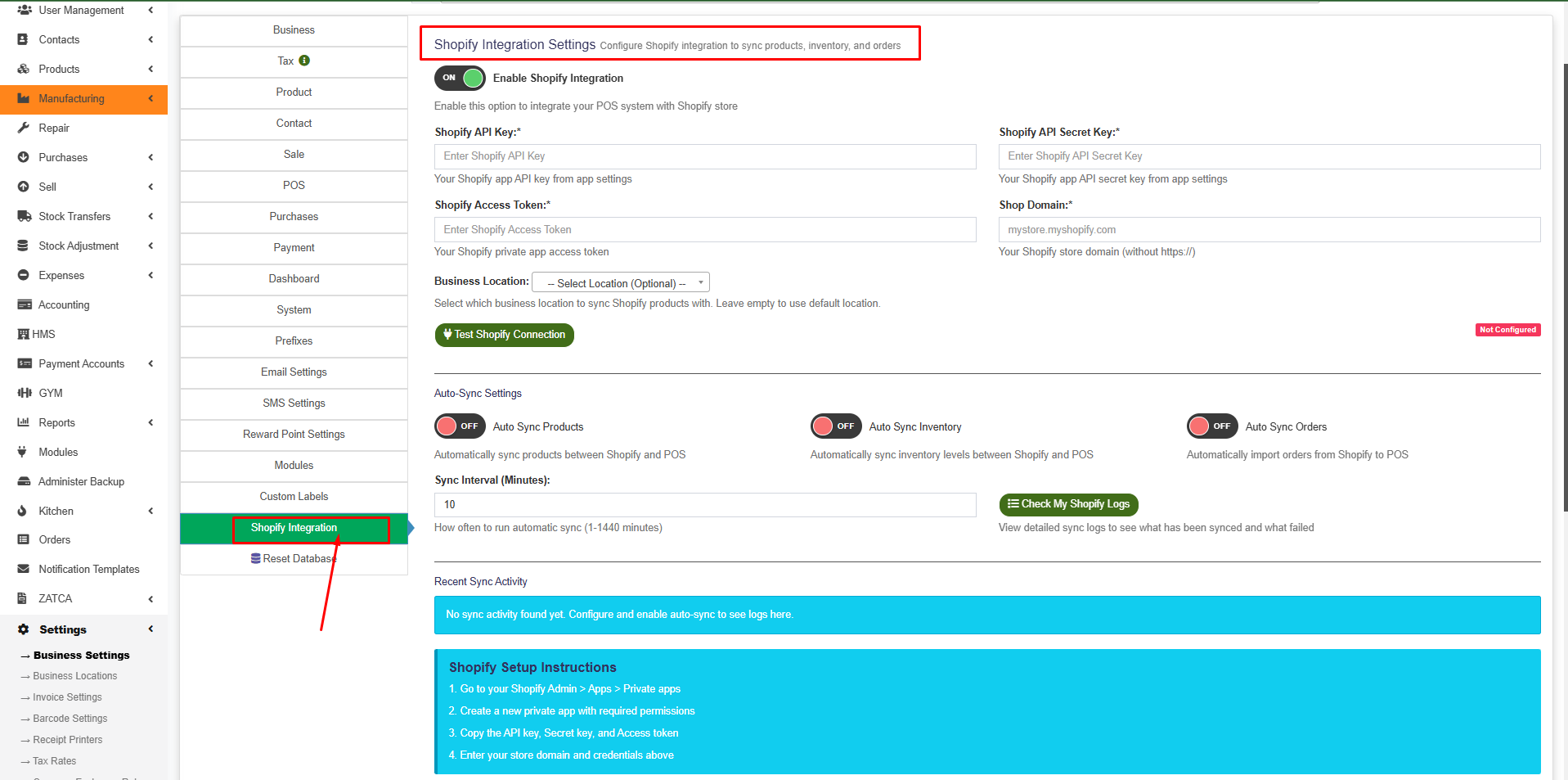
The LookPOS Shopify Integration dashboard provides a central hub for all sync operations.
Core Sync Features
1. Products Sync (Shopify ↔ POS)
Our integration ensures that your product catalog remains consistent across both platforms. Whether you're adding new arrivals in your warehouse or updating prices on Shopify, the data flows seamlessly.
- Shopify → POS: Automatically imports product names, SKUs, prices, stock levels, and descriptions. It even handles variants and maps Shopify Product IDs to LookPOS records.
- POS → Shopify: Export products marked for sync directly to your online store. Keep pricing and descriptions uniform with zero manual effort.
2. Bidirectional Inventory Sync
Inventory management is the backbone of retail. LookPOS keeps your stock quantities synchronized in real-time. When a barcode is scanned in-store, your Shopify stock drops instantly. If an online order comes in, your POS reflects the deduction immediately.
- Handles multiple locations by mapping your primary business location.
- Updates inventory levels based on sales, returns, and purchase orders.
3. Automated Orders Sync
Stop jumping between dashboards to fulfill orders. Every Shopify order is imported directly into LookPOS as a sales transaction.
- Creates or matches customers by email to prevent duplicate profiles.
- Handles shipping addresses and full order details for easy fulfillment.
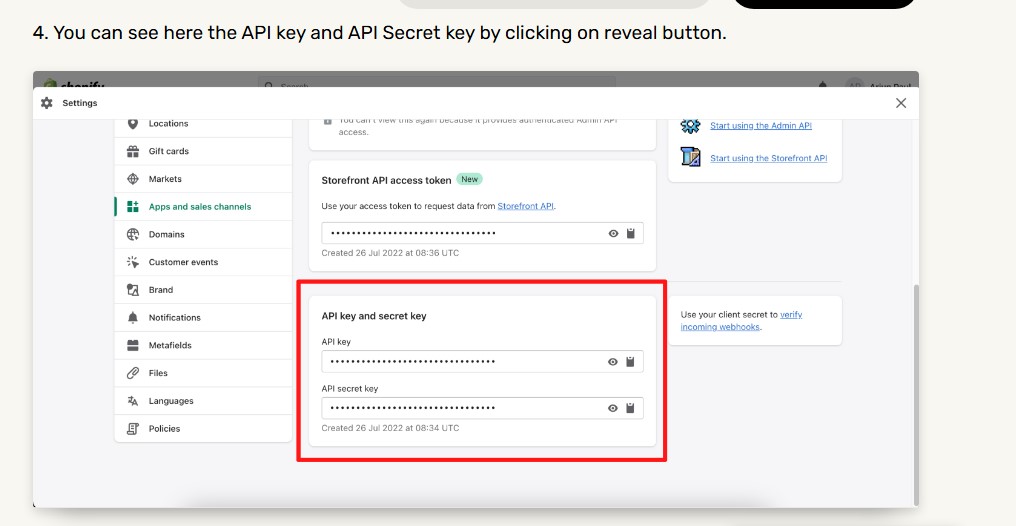
Configuring your Shopify API credentials securely within LookPOS.
Monitoring and Logging
Transparency is key to a reliable integration. LookPOS provides a comprehensive monitoring suite to track every data movement.
Detailed Sync Logs
Every operation is logged with precision. You can filter logs by sync type, status, and date to ensure everything is running smoothly.
- Track success/failure status and performance metrics.
- View detailed error messages if a record fails to sync.
- Export logs for deeper analysis or auditing.
Dashboard Metrics
Get a bird's-eye view of your integration health with real-time indicators for connection status, last sync timestamps, and success rates.
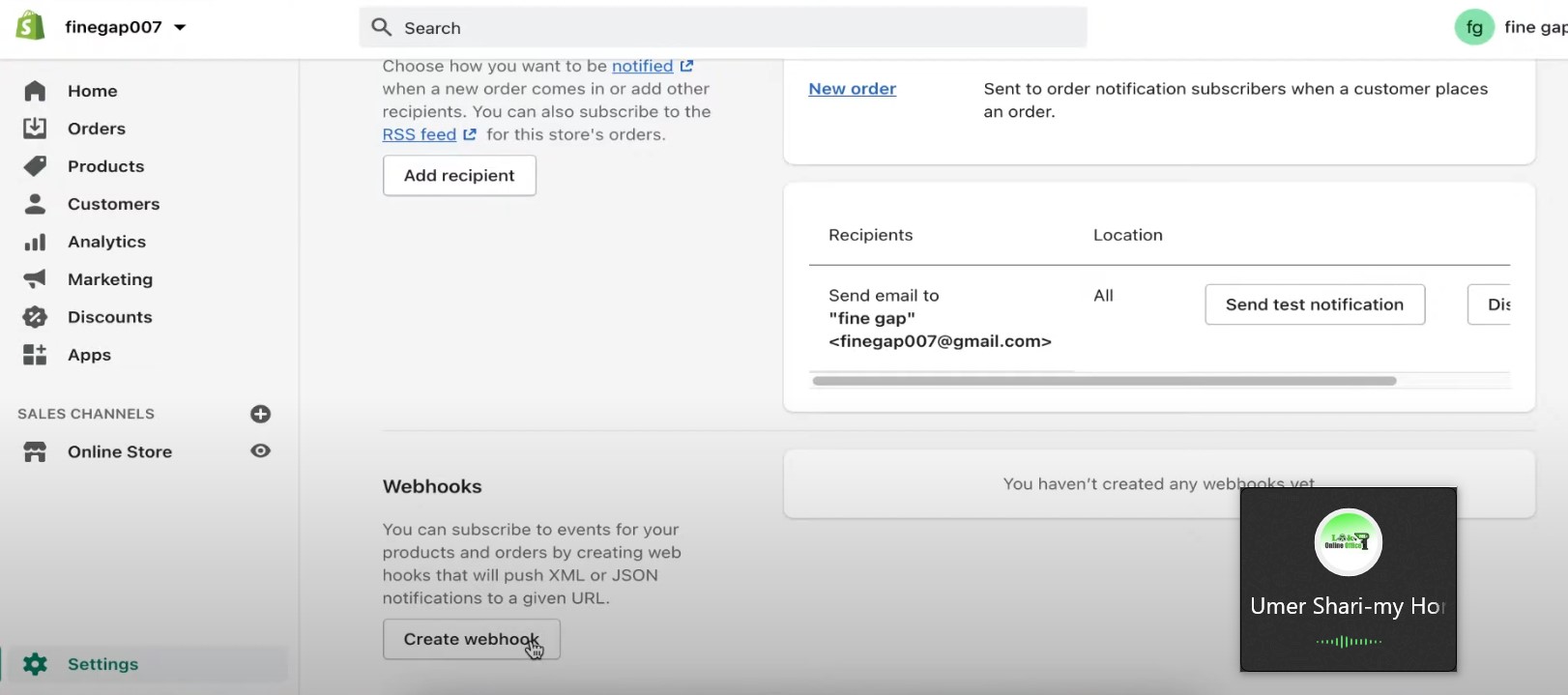
Real-time sync powered by secure Shopify webhooks.
Troubleshooting & Performance
Common Issues & Solutions
- Connection Failures: Verify your API credentials and ensure your shop domain is entered without "https://".
- Products Not Syncing: Ensure the "Sync to Shopify" flag is enabled for your POS products and that they have valid SKUs and prices.
- Order Import Errors: Check if customer data is complete and if the corresponding products exist in your POS.
Optimization & Security
LookPOS is built for enterprise-grade performance. We use background job processing and pagination to handle large datasets without slowing down your terminal. On the security front, all API credentials are encrypted in our database, and we require HTTPS for all communications.
Take Your Retail Business Omnichannel
Ready to sync your Shopify store with Pakistan's most robust POS system?
Best Practices
- Test First: Always use the "Test Connection" button before enabling full automation.
- Monitor Regularly: Review your sync logs weekly to catch any data discrepancies.
- Rate Limits: Respect Shopify API rate limits by configuring sync intervals that match your volume.